
Quick Start

The Oxen.ai chat completions API is fully OpenAI-compatible. You can use the OpenAI SDK, curl, or any HTTP client that speaks the OpenAI chat format. Base URL: https://hub.oxen.ai/api Endpoint: POST /chat/completions Browse all available models.
curl -X POST https://hub.oxen.ai/api/chat/completions \
  -H "Authorization: Bearer $OXEN_API_KEY" \
  -H "Content-Type: application/json" \
  -d '{
    "model": "claude-sonnet-4-6",
    "messages": [
      {"role": "user", "content": "What is a great name for an ox?"}
    ]
  }'

Authentication

Every request requires a Bearer token in the Authorization header. You can find your API key in your account settings.
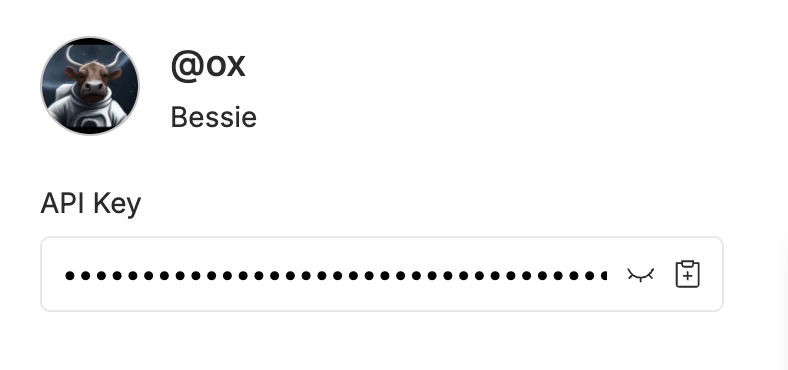
Authorization: Bearer $OXEN_API_KEY
API key

Response Format

The API returns an OpenAI-compatible JSON response:
{
  "id": "chatcmpl-af41f027-e4d5-4c4b-ac40-625fb4ebfb1e",
  "object": "chat.completion",
  "created": 1774040155,
  "model": "claude-sonnet-4-6",
  "choices": [
    {
      "index": 0,
      "message": {
        "role": "assistant",
        "content": "How about \"Beauregard\"?"
      },
      "finish_reason": "stop"
    }
  ],
  "usage": {
    "prompt_tokens": 11,
    "completion_tokens": 4,
    "total_tokens": 15
  }
}
FieldDescription
idUnique identifier for the completion
objectAlways "chat.completion"
createdUnix timestamp of when the completion was created
modelThe model that generated the response
choicesArray of completion choices (typically one)
choices[].message.contentThe generated text
choices[].finish_reasonWhy generation stopped: "stop" (natural end) or "length" (hit max_tokens)
usageToken counts for the request

Parameters

ParameterTypeDefaultDescription
modelstringrequiredModel name, e.g. "claude-sonnet-4-6", "gpt-4o", "gemini-3-flash-preview"
messagesarrayrequiredArray of message objects with role and content
max_tokensintegermodel defaultMaximum number of tokens to generate
temperaturefloatmodel defaultSampling temperature (0-2). Lower is more deterministic.
streambooleanfalseEnable streaming with server-sent events

Messages

Each message in the messages array has a role and content:
RoleDescription
systemSets the behavior and context for the model
userThe user’s input
assistantPrevious model responses (for multi-turn conversations)
{
  "messages": [
    {"role": "system", "content": "You are a helpful assistant."},
    {"role": "user", "content": "What is the capital of France?"},
    {"role": "assistant", "content": "The capital of France is Paris."},
    {"role": "user", "content": "What is its population?"}
  ]
}

Streaming

Set "stream": true to receive responses as server-sent events (SSE). Each event is a chat.completion.chunk object with a delta instead of a message.
curl -X POST https://hub.oxen.ai/api/chat/completions \
  -H "Authorization: Bearer $OXEN_API_KEY" \
  -H "Content-Type: application/json" \
  -d '{
    "model": "claude-sonnet-4-6",
    "messages": [
      {"role": "user", "content": "Write a haiku about data."}
    ],
    "stream": true
  }'
Each SSE line is prefixed with data: and contains a JSON chunk:
data: {"id":"chatcmpl-...","object":"chat.completion.chunk","created":1774040190,"model":"claude-sonnet-4-6","choices":[{"index":0,"delta":{"content":"hello"},"finish_reason":null}]}
The stream ends with:
data: [DONE]

Vision

Models that support vision (such as gpt-4o or claude-sonnet-4-6) accept images in the messages array. For full details and examples including base64 encoding and video understanding, see Vision Language Models.
curl -X POST https://hub.oxen.ai/api/chat/completions \
  -H "Authorization: Bearer $OXEN_API_KEY" \
  -H "Content-Type: application/json" \
  -d '{
    "model": "gpt-4o",
    "messages": [
      {
        "role": "user",
        "content": [
          {"type": "text", "text": "What is in this image?"},
          {"type": "image_url", "image_url": {"url": "https://oxen.ai/assets/images/homepage/hero-ox.png"}}
        ]
      }
    ]
  }'

Tool use

Tool calling (function calling) follows the same OpenAI Chat Completions tool format. You send a tools array describing each function’s JSON Schema; the model may reply with tool_calls instead of plain text. You execute those functions in your app, then send the results back in new tool messages so the model can finish the answer.
ConceptDescription
toolsArray of { "type": "function", "function": { "name", "description", "parameters" } } objects. parameters is a JSON Schema object for the arguments.
tool_choiceOptional. "auto" (default) lets the model decide; "none" disables tools; or force a specific function with {"type": "function", "function": {"name": "..."}}.
Assistant tool_callsWhen finish_reason is "tool_calls", choices[0].message.tool_calls lists each call with id, function.name, and function.arguments (a JSON string).
tool messagesEach result uses role: "tool", tool_call_id matching the call’s id, and content as a string (often JSON your tool returned).

Raw curl: first request (tools only)

The model may respond with tool_calls instead of user-facing content:
curl -X POST https://hub.oxen.ai/api/chat/completions \
  -H "Authorization: Bearer $OXEN_API_KEY" \
  -H "Content-Type: application/json" \
  -d '{
    "model": "claude-sonnet-4-6",
    "messages": [
      {"role": "user", "content": "What is the weather in Paris?"}
    ],
    "tools": [
      {
        "type": "function",
        "function": {
          "name": "get_weather",
          "description": "Get current weather for a city",
          "parameters": {
            "type": "object",
            "properties": {
              "city": {"type": "string", "description": "City name"}
            },
            "required": ["city"]
          }
        }
      }
    ]
  }'
Example assistant payload (abbreviated):
{
  "choices": [
    {
      "finish_reason": "tool_calls",
      "index": 0,
      "message": {
        "content": "I'll check the current weather in Paris for you right away!",
        "role": "assistant",
        "tool_calls": [
          {
            "function": {
              "arguments": "{\"city\":\"Paris\"}",
              "name": "get_weather"
            },
            "id": "toolu_014F6XpjMvKbTgV7D5wBzqCn",
            "index": 1,
            "type": "function"
          }
        ]
      }
    }
  ],
  "created": 1774809792,
  "id": "chatcmpl-1ce4aeac-6c34-468a-ba6b-b96c5372a1dc",
  "model": "claude-sonnet-4-6",
  "object": "chat.completion",
  "usage": {
    "completion_tokens": 67,
    "prompt_tokens": 572,
    "total_tokens": 639
  }
}
Run your function locally, then call the API again with the full transcript: original messages, the assistant message including tool_calls, and one tool message per call. Replace IDs and tool_calls with values from the first response. Repeat until finish_reason is "stop" (or "length") and there are no new tool_calls.

Follow-up request: curl and OpenAI Python SDK

The follow-up HTTP body matches what the OpenAI SDK builds when you append assistant and tool messages in a loop.
curl -X POST https://hub.oxen.ai/api/chat/completions \
  -H "Authorization: Bearer $OXEN_API_KEY" \
  -H "Content-Type: application/json" \
  -d '{
    "model": "claude-sonnet-4-6",
    "messages": [
      {
        "role": "user",
        "content": "What is the weather in Paris?"
      },
      {
        "role": "assistant",
        "content": null,
        "tool_calls": [
          {
            "id": "toolu_01ABC",
            "type": "function",
            "function": {
              "name": "get_weather",
              "arguments": "{\"city\": \"Paris\"}"
            }
          }
        ]
      },
      {
        "role": "tool",
        "tool_call_id": "toolu_01ABC",
        "content": "{\"temperature_c\": 18, \"conditions\": \"Partly cloudy\"}"
      }
    ],
    "tools": [
      {
        "type": "function",
        "function": {
          "name": "get_weather",
          "description": "Get current weather for a city",
          "parameters": {
            "type": "object",
            "properties": {
              "city": {
                "type": "string",
                "description": "City name"
              }
            },
            "required": ["city"]
          }
        }
      }
    ]
  }'

Errors

The API returns errors as JSON with an error object and a standard HTTP status code.
StatusMeaning
400Bad request (missing model, empty messages, invalid parameters)
401Invalid or missing API key
429Rate limit exceeded
500Internal server error
{
  "error": {
    "message": "You must specify a model to call"
  }
}

Playground

The model playground lets you test any model interactively before writing code. This is also a great way to test models you’ve fine-tuned after deploying them. Chat Interface